Introduction to Operating System Updates
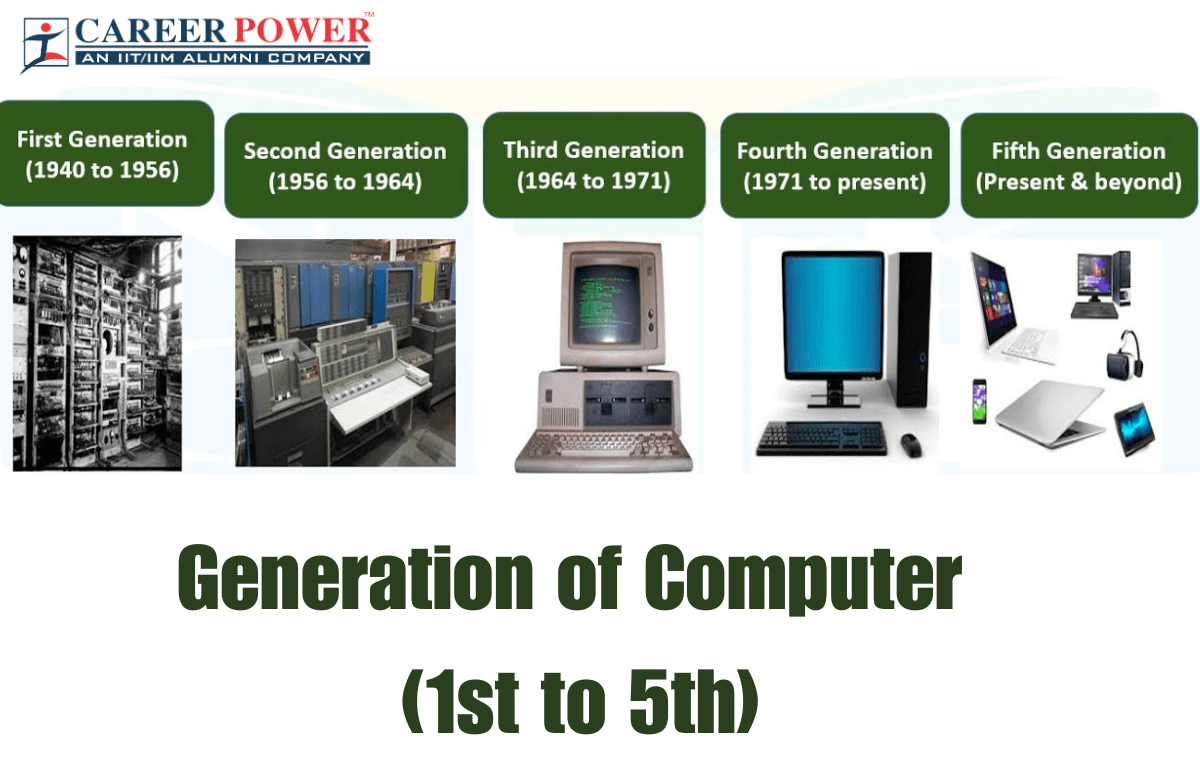
Operating system (OS) updates are a fundamental part of modern computing, but they weren’t always as seamless as they are today. There has been significant evolution in operating systems. Whether you’re using a laptop, smartphone, or tablet, your device relies on its operating system to function properly. Over time, developers release updates to improve performance, fix bugs, and enhance security.
In my experience, many users tend to ignore updates because they seem inconvenient or time-consuming. However, these updates play a critical role in keeping your device running smoothly and safely. From small patches to major upgrades, OS updates ensure that your system stays compatible with new software and technologies.
Well-known operating systems like Microsoft Windows, macOS, and Linux have all evolved significantly over the years, largely due to continuous updates and improvements.
What Are OS Updates and Why Do They Matter
OS updates are essentially modifications made to an operating system after its initial release. These updates can include security patches, bug fixes, new features, and performance improvements.
Why OS Updates Are Important
1. Security Enhancements
One of the most important reasons to update your OS is security. Cyber threats are constantly evolving, and outdated systems are more vulnerable to attacks. Updates often include patches that fix known vulnerabilities and protect your data.
2. Performance Improvements
Updates can optimize your system’s performance. I’ve personally noticed that after installing certain updates, devices run faster and more efficiently, especially when older bugs are resolved.
3. New Features and Functionality
Sometimes updates introduce completely new features. For example, Windows 10 updates added tools that improved productivity and the user experience.
4. Compatibility with Modern Software
As new applications are developed, they often require the latest OS versions. Keeping your system updated ensures you can use the latest apps without issues.
Early Days of OS Updates (Pre-Internet Era)
Before the internet became widely accessible, updating an operating system was a completely different experience. It was slower, more complicated, and often required physical media.
Back then, users didn’t receive regular updates like we do today. Instead, updates were released infrequently, and many users continued using the same version of an OS for years without any changes.
Operating systems like early versions of MS-DOS and classic Mac OS relied heavily on manual processes for updates, which made maintenance challenging for average users.
Manual Installation via Disks
In the pre-Internet era, OS updates were typically distributed through physical media such as floppy disks, CDs, or DVDs. If you wanted to update your system, you had to purchase or obtain these disks and install the updates manually.
This process was not only time-consuming but also required a certain level of technical knowledge. In my experience researching older systems, even a small mistake during installation could cause system instability or data loss.
Users had to carefully follow instructions, insert multiple disks, and sometimes restart their computers several times during the process. Compared to today’s one-click updates, it was far less convenient.
Limited Update Frequency
Another major limitation of early OS updates was their infrequency. Developers didn’t release updates regularly, mainly because distributing them was expensive and logistically difficult.
As a result, bugs and security vulnerabilities often remained unpatched for long periods. Users had to live with these issues or wait for the next major release, which could take years.
This lack of frequent updates also meant slower innovation. Features that can now be added overnight through updates would previously require entirely new versions of the operating system.
Rise of Internet-Based Updates
The biggest turning point in the evolution of OS updates came when the internet became common in homes and offices. Before that, updates were slow, physical, and inconvenient. Once operating systems could connect online, the whole process changed. Updates could now be delivered directly to users without waiting for discs, retail packages, or manual distribution.
This shift made operating systems much easier to maintain. Instead of relying on occasional major releases, developers could now respond quickly to problems as they appeared. In my view, this was the moment OS updates stopped being a rare event and started becoming part of everyday computing.
Internet-based updates also changed user expectations. People began to expect their devices to stay current in the background, with less effort required from them. That expectation eventually shaped the modern update systems we use today.
Automatic Updates Begin
Once internet connections became reliable enough, operating systems started introducing automatic updates. This was a major convenience for users because they no longer had to search for patches manually or install them from external media.
Automatic updates helped solve a long-standing problem: many users simply forgot to update their systems. That created security risks and compatibility issues. By making updates automatic, OS developers reduced the chance of outdated software remaining in use for too long.
At first, automatic updates were usually limited to small security fixes or important bug patches. Over time, they became more advanced and began handling larger feature updates too. This made operating systems feel more alive and more responsive to user needs.
Faster Bug Fixes and Security Patches
One of the most important benefits of internet-based updates was speed. If a bug was discovered, developers could patch it much faster than before. That mattered a lot because even a small issue could affect performance, stability, or security across millions of devices.
Security patches became especially important as cyber threats grew more sophisticated. Instead of waiting months or years for a new version, users could receive protection much sooner. In practice, this greatly reduced the window of opportunity for attackers.
I found this part of OS history especially interesting because it shows how updates became a core defense mechanism, not just a convenience feature. The faster a patch is released, the better the chances of preventing damage before it spreads widely.
Major Milestones in OS Update History
As operating systems evolved, certain milestones stood out because they changed how updates were delivered, managed, and experienced. These moments helped shape the modern update systems we now take for granted.
Windows XP and Service Packs
Windows XP is often remembered as one of the most influential desktop operating systems of its time. One major reason is how Microsoft used service packs to improve it over time. Service packs bundled important fixes, security improvements, and system enhancements into larger update packages.
This approach gave users a more organized way to keep their systems current. Instead of applying tiny fixes one by one, they could install a major collection of improvements at once. For many users, service packs became the main way to keep Windows stable and secure.
Windows XP also reflected a transition period in update history. It still carried some of the older habits of software distribution, but it was clearly moving toward a more connected and update-friendly model. That makes it an important milestone in the evolution of OS updates.
macOS Transition to Online Updates
Apple also played a major role in shaping modern update behavior. Over time, macOS moved from more traditional software distribution toward online update systems that were much easier for users to manage.
This transition made updates more seamless and more integrated into the operating system itself. Instead of treating updates as a separate task, Apple made them feel like a natural part of the user experience. That approach helped many users stay current without much effort.
In my experience, this is one of the reasons Apple devices are often seen as simple to maintain. The update process became more polished, more visual, and more integrated with the operating system’s overall design. That helped raise expectations for the entire industry.
Linux Package Managers Revolution
Linux took a different path, but it was just as important. Instead of relying on a single fixed update system, Linux distributions developed package managers, which gave users and system administrators powerful control over software updates.
Package managers made it easier to install, remove, and update software from centralized repositories. This was a huge improvement because it reduced the need to hunt for separate downloads or install programs manually from random sources.
For many users, especially developers and advanced computer users, this became one of Linux’s greatest strengths. Updates were faster, more organized, and often more transparent than on other platforms. Package managers also helped create a culture in which frequent updates were the norm.
This revolution mattered because it showed that OS updates did not have to follow only one model. Linux demonstrated that update systems could be flexible, efficient, and highly customizable.
The Shift to Automatic and Continuous Updates
As technology advanced, operating systems moved beyond occasional updates and entered an era of continuous improvement. Instead of releasing large updates every few years, companies began rolling out smaller, more frequent updates regularly.
This shift made operating systems feel more dynamic. In my experience, devices no longer feel “outdated” as quickly because they are constantly being improved behind the scenes. Whether it’s a minor bug fix or a new feature, updates now happen as part of an ongoing cycle rather than a one-time event.
Modern systems like Windows 11 and macOS follow this continuous update model, ensuring users always have access to the latest improvements without needing to manually upgrade to a completely new version.
Background Updates
One of the most noticeable changes in recent years is the rise of background updates. These updates happen quietly while you continue using your device, often without interrupting your workflow.
In the past, updates required users to stop everything, install patches, and restart their systems. Today, much of that process happens automatically in the background. Files are downloaded, prepared, and even partially installed before you’re asked to restart.
This approach saves time and reduces frustration. I’ve personally found that background updates make a huge difference, especially when working on important tasks. Instead of waiting for long installation processes, updates now feel almost invisible.
User Experience Improvements
Continuous updates have also greatly improved the overall user experience. Developers now focus not only on fixing problems but also on refining how users interact with their devices.
Small updates can bring subtle but meaningful improvements—like smoother animations, better battery optimization, or improved system responsiveness. These changes may not always be obvious, but they add up over time.
Another benefit is that users no longer need to learn a completely new system after every major update. Instead, improvements are introduced gradually, making the experience feel more natural and less overwhelming.
Mobile OS Updates Take Over
As smartphones became more powerful, mobile operating systems started playing a major role in the evolution of updates. In fact, mobile platforms helped push the idea of fast, over-the-air updates even further.
Devices running Android and iOS receive updates regularly, often without needing a computer connection. This made updates more accessible to everyday users.
From my observation, mobile updates set a new standard for convenience. With just a tap, users can download and install the latest version of their OS, making the process simpler than ever before.
Android Update Fragmentation
One of the biggest challenges in the mobile world is update fragmentation, especially on Android devices. Because Android is used by many different manufacturers, updates are not always delivered at the same time to all devices.
Each manufacturer may customize Android for their hardware, which means updates need additional testing and adjustments before being released. As a result, some users receive updates quickly, while others may have to wait months—or may not receive them at all.
This fragmentation can lead to inconsistencies in user experience and security. In my experience, it’s one of the main drawbacks of an otherwise flexible and powerful operating system.
iOS Seamless Update Ecosystem
In contrast, Apple’s iOS ecosystem is known for its smooth and consistent update process. Because Apple controls both the hardware and software, it can deliver updates simultaneously to a wide range of devices.
This creates a more unified experience. Most iOS users receive updates at the same time, which improves security and ensures access to the latest features without delay.
Another advantage is long-term support. Apple devices often receive updates for several years, which helps extend their lifespan. From what I’ve seen, this consistency is one of the reasons many users prefer the iOS ecosystem.
Cloud-Based and Over-the-Air (OTA) Updates
Cloud technology has taken OS updates to the next level. Instead of relying solely on local downloads or manual installations, modern systems now use cloud infrastructure to deliver updates quickly and efficiently. This approach allows updates to be distributed globally in a matter of hours rather than days or weeks.
Over-the-Air (OTA) updates are a key part of this transformation. Devices can now receive updates wirelessly without needing cables, external storage, or technical expertise. Whether you’re using a smartphone, laptop, or even a smart device, updates arrive directly through the internet.
Platforms like Android and iOS have perfected OTA updates, making them fast, reliable, and user-friendly. In my experience, this is one of the biggest reasons why modern devices feel so easy to maintain.
Faster Deployment
One of the biggest advantages of cloud-based updates is speed. Developers can roll out updates to millions of devices almost instantly. This is especially important when dealing with critical bugs or security vulnerabilities.
In the past, distributing updates could take weeks due to physical limitations or manual processes. Today, a fix can be developed, tested, and deployed globally within a very short time frame.
I’ve noticed that this speed not only improves system performance but also builds trust. Users feel more confident knowing that issues can be addressed quickly without long delays.
Reduced User Intervention
Another major benefit of OTA updates is how little effort they require from users. Updates are often downloaded and installed automatically, with minimal interaction needed.
In many cases, all you need to do is approve a restart—or sometimes nothing at all. This simplicity makes updates accessible even to non-technical users.
From my perspective, this has removed one of the biggest barriers to keeping devices updated. People no longer need to worry about complicated installation steps or technical errors. The system handles most of the work in the background.
Security and Privacy in Modern OS Updates
As cyber threats have become more advanced, security has become a top priority in OS updates. Modern operating systems are designed to protect user data, prevent unauthorized access, and respond quickly to emerging threats.
Updates are no longer just about adding features—they are essential for maintaining digital safety. Whether it’s a smartphone or a computer, staying updated is one of the easiest ways to stay protected.
Operating systems like Windows 11, macOS, and Linux all prioritize security updates as a core part of their development strategy.
Real-Time Threat Protection
Modern OS updates now support real-time threat protection. This means systems can detect and respond to threats as they happen, rather than waiting for manual intervention.
Security tools are constantly updated to recognize new types of malware, viruses, and cyberattacks. These updates often run silently in the background, ensuring continuous protection.
In my experience, this real-time approach has made a huge difference. Instead of reacting to threats after damage is done, systems can now prevent many attacks before they even begin.
Frequent Security Patches
Another key improvement is the frequency of security patches. Developers now release updates regularly to fix vulnerabilities as soon as they are discovered.
This proactive approach reduces the risk of exploitation. Even small vulnerabilities are addressed quickly, minimizing potential damage.
I’ve found that frequent updates may sometimes feel repetitive, but they are necessary. Each patch strengthens the system and helps maintain a secure computing environment.
Challenges in OS Updates Today
Even though OS updates have become faster and more convenient, they still come with their own set of challenges. As systems grow more complex, ensuring smooth updates across millions of devices is not always easy.
Modern operating systems like Windows 11, macOS, and Linux are powerful, but they must support a wide range of hardware, software, and user needs. This complexity can sometimes lead to issues during or after updates.
In my experience, while updates are essential, they can occasionally introduce new problems instead of fixing old ones—making this an area where developers must strike a careful balance.
Compatibility Issues
One of the most common challenges is compatibility. Not all hardware or software works perfectly with every new update. When an OS is updated, older applications or drivers may stop functioning properly.
For example, a program that worked flawlessly on an earlier version of an operating system might crash or behave unpredictably after an update. This can be frustrating, especially for users who rely on specific tools for work or study.
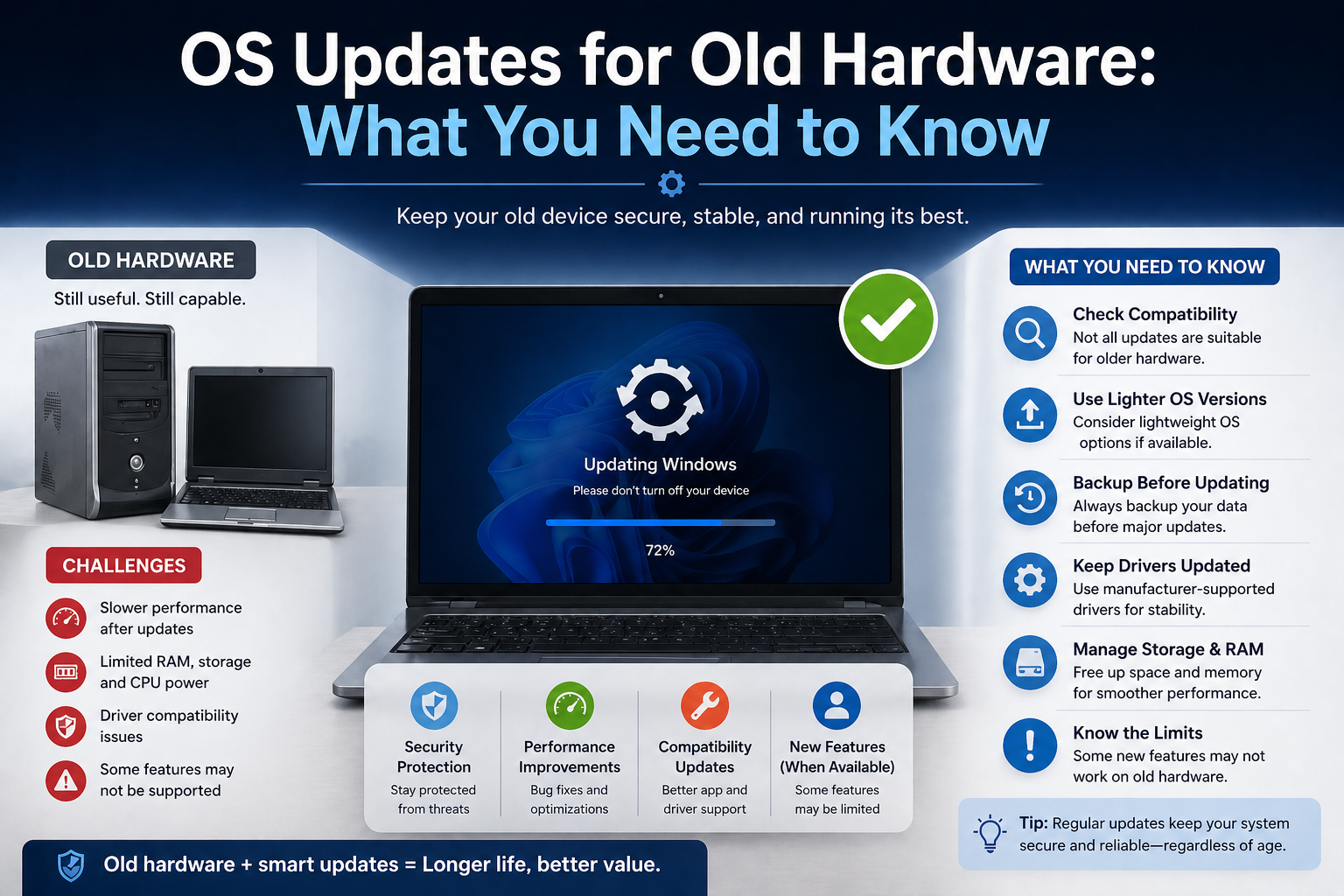
Hardware compatibility is another concern. Older devices may not fully support newer updates, which can lead to reduced functionality or even prevent the update from being installed at all.
From what I’ve seen, this is particularly noticeable in systems with customized configurations, where even a small update can create unexpected conflicts.
Storage and Performance Concerns
Another issue users face is the impact of updates on storage and performance. Modern updates can be quite large, requiring significant disk space to download and install.
On devices with limited storage—especially older laptops or budget smartphones—this can become a major obstacle. Users may need to delete files or apps just to make room for an update.
Performance can also be affected. While updates are meant to improve systems, they sometimes introduce features that require more processing power or memory. This can slow down older devices.
In my experience, this is one of the main reasons some users hesitate to update their systems. They worry that their device might not perform as well after the update, even if it gains new features.
Future Trends in OS Updates
As technology continues to evolve, OS updates are expected to become even smarter, faster, and more user-friendly. The focus is shifting toward automation, personalization, and efficiency.
Developers are exploring new ways to deliver updates that are less disruptive and more tailored to individual users. This next phase of evolution could redefine how we interact with our devices.
AI-Driven Updates
Artificial intelligence is starting to play a role in how updates are developed and delivered. AI can analyze user behavior, system performance, and potential risks to optimize the update process.
For instance, future updates might be scheduled automatically at the most convenient time based on your usage patterns. AI could also predict potential issues before they occur and adjust updates accordingly.
In my opinion, this could solve many current problems, such as unexpected slowdowns or compatibility issues. Updates would become more personalized, making them feel less like interruptions and more like helpful improvements.
Modular Operating Systems
Another exciting trend is the development of modular operating systems. Instead of updating the entire system at once, updates can be applied to individual components.
This approach makes updates smaller, faster, and more efficient. It also reduces the risk of system-wide issues because changes are isolated to specific modules.
Operating systems are gradually moving in this direction to improve flexibility and reliability. From what I’ve observed, modular updates could become the standard in the future, especially as devices become more diverse and specialized.
Conclusion: How OS Updates Have Transformed Technology
The evolution of OS updates tells a powerful story about how technology has advanced over time. What started as a slow, manual process involving physical disks has transformed into a fast, automated, and intelligent system.
Today, updates are an essential part of the digital experience. They keep our devices secure, improve performance, and introduce new features that enhance how we work and communicate.
Looking back, it’s clear that operating systems like Microsoft Windows, macOS, Android, and iOS have all played a major role in shaping this evolution.
In my experience, one thing is certain: OS updates will continue to evolve as technology grows. With innovations like AI and modular design on the horizon, the future of updates looks smarter, faster, and more seamless than ever before.
If there’s one takeaway, it’s this—keeping your system updated is no longer optional. It’s a vital part of staying secure, productive, and connected in today’s digital world.