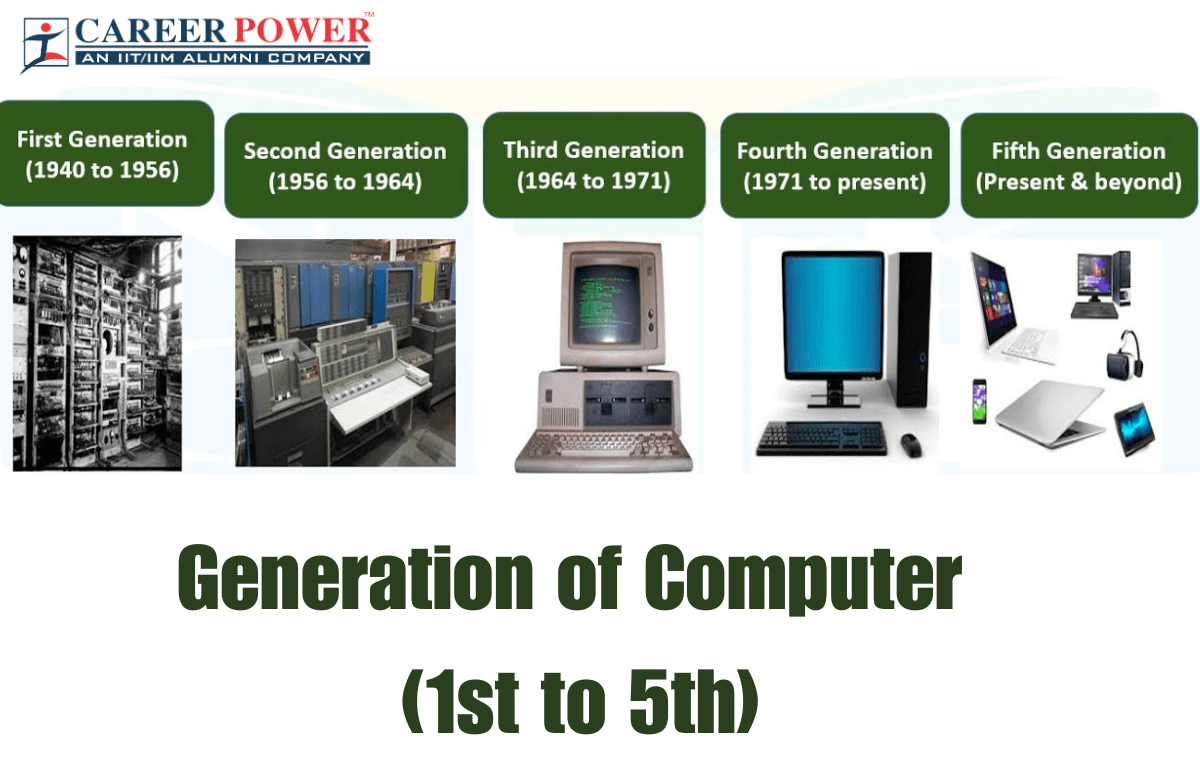
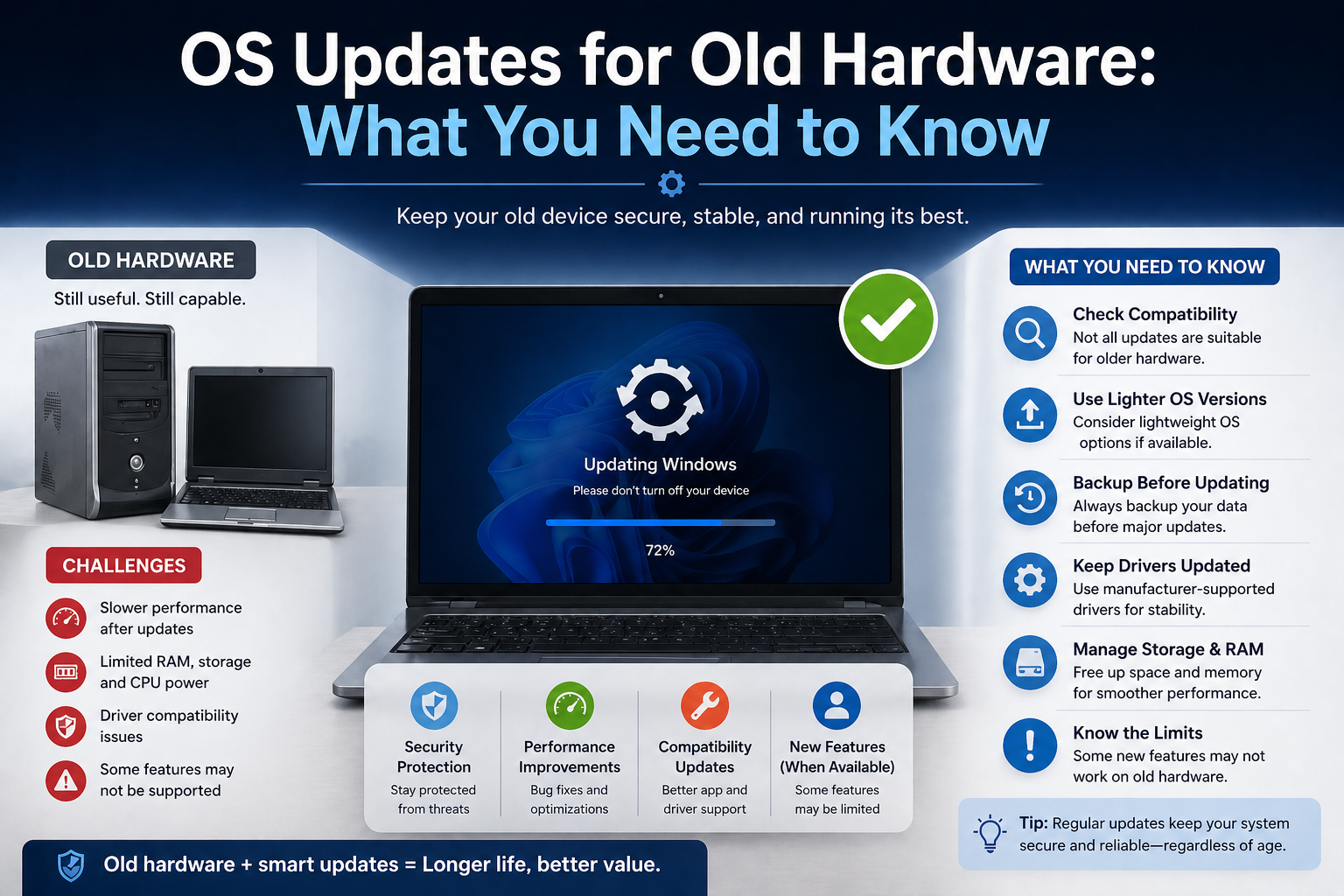
Introduction: The Rise of Lightweight Operating Systems
In recent years, I’ve noticed a clear shift in how people think about their computers. Instead of constantly upgrading hardware, many users are now turning to lightweight operating systems to breathe new life into older machines. This trend isn’t just limited to tech enthusiasts—it’s becoming popular among students, remote workers, and even businesses looking to cut costs without sacrificing performance.
What’s driving this change? Simply put, modern operating systems can be resource-heavy. They often require powerful processors, large amounts of RAM, and significant storage space. For someone using an older laptop or a budget device, this can lead to frustratingly slow performance. That’s where lightweight operating systems step in.
From my experience, switching to a lightweight OS can completely transform how a system feels. Tasks that once took minutes suddenly become instant, and even basic hardware starts performing like it’s brand new. With the growing focus on efficiency, speed, and simplicity, it’s no surprise that lightweight operating systems are gaining popularity across the globe.
What Is a Lightweight Operating System?
A lightweight operating system (often called a “lightweight OS”) is designed to use minimal system resources while still providing essential functionality. Unlike traditional operating systems that come packed with features and background services, lightweight OS options focus on simplicity, speed, and efficiency.
In simple terms, these systems are built to run smoothly on hardware with limited CPU power, low RAM, or smaller storage capacity. They strip away unnecessary components and prioritize performance over visual effects or extra features.
Some common characteristics of lightweight operating systems include:
- Low RAM and CPU usage
- Faster boot times
- Minimal pre-installed applications
- Simple and clean user interface
- High customization options
For example, many lightweight systems are based on Linux and are specifically optimized for older computers or users who prefer a minimal setup. I was skeptical at first, but after trying one on an aging laptop, I found it surprisingly fast and responsive compared to heavier operating systems.
In short, a lightweight operating system is all about doing more with less—offering a smooth, efficient computing experience without demanding powerful hardware.
Key Reasons Behind Their Growing Popularity
Lightweight operating systems are no longer just a niche choice for tech enthusiasts—they’re becoming a practical solution for everyday users. In my experience, the shift toward these systems is driven by a combination of performance, efficiency, and control. Let’s break down the key reasons why more people are making the switch.
3.1 Faster Performance on Old Hardware
One of the biggest advantages of lightweight operating systems is how well they perform on older machines. If you’ve ever tried running a modern, resource-heavy OS on an aging laptop, you’ve probably experienced slow boot times, lagging apps, and constant frustration.
I tested a lightweight OS on a laptop that was nearly unusable with its original system. To my surprise, it booted in seconds and handled everyday tasks—like browsing and document editing—smoothly. These operating systems are optimized to use fewer system resources, allowing older hardware to perform far beyond expectations.
Instead of throwing away outdated devices, users can extend their lifespan significantly with a lightweight OS.
3.2 Lower Resource Consumption
Lightweight operating systems are designed to do more with less. They use minimal RAM, CPU power, and storage, which makes them ideal for both low-end and modern systems.
Unlike traditional operating systems that run multiple background processes, lightweight OS options keep things simple. This means:
- Less RAM usage, even with multiple apps open
- Reduced CPU load for smoother multitasking
- More available storage space for important files
In my daily routine, I noticed that even with several browser tabs open, the system remained responsive. This efficiency is a major reason why users prefer lightweight solutions, especially when working with limited resources.
3.3 Improved Battery Life
Another underrated benefit is better battery performance. Since lightweight operating systems consume fewer resources, they also require less power to run.
When I switched to a lightweight OS on a laptop, I saw a noticeable improvement in battery life. Tasks that used to drain the battery quickly—like web browsing or watching videos—became far less demanding.
This makes lightweight systems a great choice for:
- Students who need a long-lasting battery for classes
- Remote workers on the go
- Anyone using older laptops with degraded batteries
In short, less resource usage equals less power consumption—and that translates directly into longer battery life.
3.4 Enhanced Privacy and Control
Privacy has become a major concern for many users, and lightweight operating systems often offer greater control over personal data. Unlike some mainstream systems that include built-in tracking, ads, or background data collection, many lightweight OS options prioritize user privacy.
From my perspective, one of the best things about these systems is the transparency. You know what’s running on your machine, and you can control it. Many lightweight OS platforms:
- Avoid unnecessary data collection
- Allow full customization of system settings
- Give users complete control over installed software
For users who value digital privacy and independence, this level of control is a huge advantage.
3.5 Minimalist User Experience
Sometimes, less really is more. Lightweight operating systems embrace a minimalist design that focuses on functionality rather than flashy visuals or unnecessary features.
At first, I thought I might miss the polished look of heavier systems—but I quickly realized how refreshing a clean, distraction-free interface can be. Everything feels faster, simpler, and more intentional.
A minimalist user experience offers:
- Faster navigation and responsiveness
- Fewer distractions while working
- A clean, clutter-free desktop environment
This simplicity not only improves productivity but also makes the system easier to use, especially for beginners or those who prefer a no-nonsense approach.
Popular Lightweight Operating Systems
Several lightweight operating systems have built a strong reputation for speed, simplicity, and stability. Some are designed specifically for very old computers, while others are lightweight editions of more familiar systems.
A few popular options include:
Lubuntu – A lightweight Ubuntu-based distribution that offers a simple desktop and low resource usage. It is often recommended for users who want something familiar but faster than a full desktop environment.
Xubuntu – Another Ubuntu variant, but with the XFCE desktop environment. It balances speed and usability, making it a good choice for older laptops and everyday tasks.
Linux Lite – Designed with beginners in mind, Linux Lite is lightweight, easy to use, and includes tools that help users transition from Windows.
Puppy Linux – Known for being extremely small and fast, Puppy Linux can run well even on very limited hardware. It is a strong option for very old machines.
antiX – A highly lightweight Linux distribution built for low-spec systems. It is especially useful when performance matters more than visual appeal.
Tiny Core Linux – One of the smallest Linux systems available. It is minimal by design and best suited for advanced users who want full control.
In my opinion, the best lightweight OS depends on the user’s needs. Some people want ease of use, while others want maximum speed on very old hardware. That flexibility is one of the reasons lightweight operating systems have become so appealing.
Lightweight OS vs Traditional OS
Lightweight operating systems and traditional operating systems serve the same basic purpose, but they are built with very different priorities in mind.
A traditional operating system usually comes with a polished interface, many built-in features, and broad compatibility with modern software and hardware. Windows and full desktop Linux environments are common examples. These systems are powerful and convenient, but they often require more RAM, storage, and processing power.
A lightweight operating system, on the other hand, focuses on efficiency. It removes extra features, reduces background activity, and keeps the system lean so it can run well on modest hardware.
Here is a simple comparison:
Lightweight OS
- Uses less RAM and CPU
- Boots faster
- Works better on old or low-spec devices
- Often has a simpler interface
- May require manual setup for some features
Traditional OS
- Offers more built-in features
- Looks more modern and polished
- Supports a wider range of mainstream apps
- Can be easier for average users to recognize
- Usually needs more powerful hardware
From my experience, a traditional OS is better for users who want convenience and broad compatibility. A lightweight OS is better for users who want speed, efficiency, and the ability to revive older devices.
In the end, neither one is automatically better. The right choice depends on what matters most: performance and simplicity, or features and familiarity.
Who Should Use a Lightweight OS?
A lightweight operating system is a great fit for anyone who wants a faster, simpler, and more efficient computing experience. In my experience, it is especially useful for people who do not need every advanced feature found in a full traditional OS.
It is a smart choice for:
Students who use laptops for browsing, notes, assignments, and online classes.
People with older computers who want to avoid buying new hardware too soon.
Remote workers who mostly rely on web apps, email, and document editing.
Users with low-spec devices that struggle with heavier operating systems.
Privacy-conscious users who prefer more control over their system.
A lightweight OS is also ideal for anyone who values speed over extra visuals and background features. If your daily tasks are simple, a lean system can feel much more responsive and practical.
Potential Drawbacks to Consider
Even though lightweight operating systems offer many benefits, they are not perfect for everyone. Before switching, it helps to understand the trade-offs.
One possible drawback is that some lightweight OS options may have a smaller software ecosystem than mainstream systems. That means certain apps may not be available, or they may require extra setup.
Another issue is that some lightweight systems have a simpler interface, which can feel too basic for users who like modern design and polished visuals.
Other drawbacks may include:
- Less support for specialized hardware
- Fewer built-in features out of the box
- A steeper learning curve for beginners in some distributions
- More manual configuration for advanced needs
In my opinion, the biggest limitation is compatibility. If you depend on specific software for work, gaming, or creative tasks, a lightweight OS may not always be the best fit.
That said, for everyday use and older devices, the benefits often outweigh the drawbacks.
How to Choose the Right Lightweight OS
Choosing the right lightweight operating system isn’t about picking the “best” one—it’s about finding the one that fits your specific needs. In my experience, the right choice depends on your hardware, your comfort level, and what you actually do on your computer every day.
Start by considering your hardware specifications. If you’re working with a very old laptop (2GB RAM or less), ultra-light systems like Puppy Linux or Tiny Core Linux can work wonders. For slightly better machines (4GB RAM or more), options like Lubuntu or Linux Lite provide a smoother, more complete experience.
Next, think about your experience level.
- If you’re a beginner or switching from Windows, Linux Lite is a great starting point because of its familiar interface.
- If you’re more comfortable exploring and customizing, antiX or Tiny Core Linux offer deeper control.
Another important factor is your daily usage. Ask yourself:
- Do you mainly browse the internet and use basic apps?
- Do you need office tools or media playback?
- Are you okay with installing software manually if needed?
I found it helpful to test a few operating systems using a live USB before installing. This lets you try the system without making permanent changes. After comparing with my previous setup, I realized that ease of use mattered more to me than extreme minimalism.
Also consider:
- Community support (active forums and guides can save a lot of time)
- Software compatibility with your needs
- Update frequency and stability
In short, the right lightweight OS is the one that balances performance, usability, and compatibility for your situation.
Future of Lightweight Operating Systems
The future of lightweight operating systems looks promising, and in my opinion, their importance will only continue to grow. As technology evolves, not everyone is chasing high-end hardware anymore. Many users are looking for smarter, more efficient ways to use what they already have.
One major trend is the revival of older hardware. Instead of contributing to e-waste, people are reusing devices with lightweight systems. This not only saves money but also supports a more sustainable approach to technology.
Another growing factor is the shift toward cloud-based applications. Since many tasks now happen in a web browser, the need for heavy operating systems is decreasing. A lightweight OS can handle web apps just as effectively, often with better performance.
We’re also seeing improvements in:
- User-friendly interfaces for lightweight systems
- Better hardware compatibility
- Enhanced security and privacy features
- Integration with modern tools and services
In my experience, lightweight operating systems are no longer just a backup option—they’re becoming a primary choice for many users.
Looking ahead, I believe lightweight OS solutions will play a key role in making computing more accessible, efficient, and sustainable. Whether it’s for students, professionals, or everyday users, the demand for faster and simpler systems is only going to increase.
Conclusion
Lightweight operating systems are no longer just an alternative—they’ve become a practical solution for modern computing challenges. Whether it’s reviving an old laptop, improving performance on low-spec hardware, or simply enjoying a faster and more focused experience, these systems offer real value.
In my experience, switching to a lightweight OS can feel like giving your computer a second life. What once seemed slow and outdated can suddenly become responsive and reliable again. At the same time, the added benefits of better battery life, improved privacy, and a minimalist interface make the experience even more appealing.
Of course, they may not be the perfect fit for everyone—especially if you rely on specific software or advanced features. But for everyday tasks and efficiency-focused users, the advantages often outweigh the limitations.
As technology continues to evolve, the demand for speed, simplicity, and control is only going to grow. Lightweight operating systems fit perfectly into this future, offering a smarter and more sustainable way to use our devices.
In the end, it’s all about choosing what works best for you—and sometimes, less really is more.