Introduction
Operating systems (OS) are the invisible engines that power every digital device we use—from laptops and smartphones to servers and smart home gadgets. Whether you’re browsing the web, editing a document, or running complex software, the operating system is what makes everything function smoothly behind the scenes.
As technology evolves rapidly—with advancements in artificial intelligence, cloud computing, and connected devices—the role of operating systems is also transforming. Understanding where OS technology is headed helps individuals, developers, and businesses stay prepared for the next wave of innovation.
What Are Operating Systems?


An operating system is system software that acts as a bridge between hardware and users. It manages all the core functions of a device, ensuring that applications run efficiently and hardware resources are used properly.
Some of the most widely used operating systems include:
- Microsoft Windows
- macOS
- Linux
- Android
- iOS
Key Functions of an Operating System
- Process Management: Handles running applications and multitasking
- Memory Management: Allocates RAM efficiently
- File System Management: Organizes and stores data
- Device Control: Communicates with hardware like printers and keyboards
- Security: Protects data and system integrity
In simple terms, without an operating system, your device would be unusable.
Why the Future of OS Matters


The future of operating systems matters because they are at the heart of every technological breakthrough. As innovations emerge, operating systems must evolve to support them.
Key Reasons to Care
- AI Integration: Future OS will use artificial intelligence to automate tasks and improve performance
- Cloud Dependency: More systems are shifting to cloud-based environments
- Device Ecosystems: Seamless interaction between phones, laptops, wearables, and smart devices
- Security Demands: Rising cyber threats require smarter, more secure OS architectures
For businesses, this evolution impacts productivity, cost, and security. For users, it defines how intuitive and powerful their devices feel.
A Brief Evolution of Operating Systems


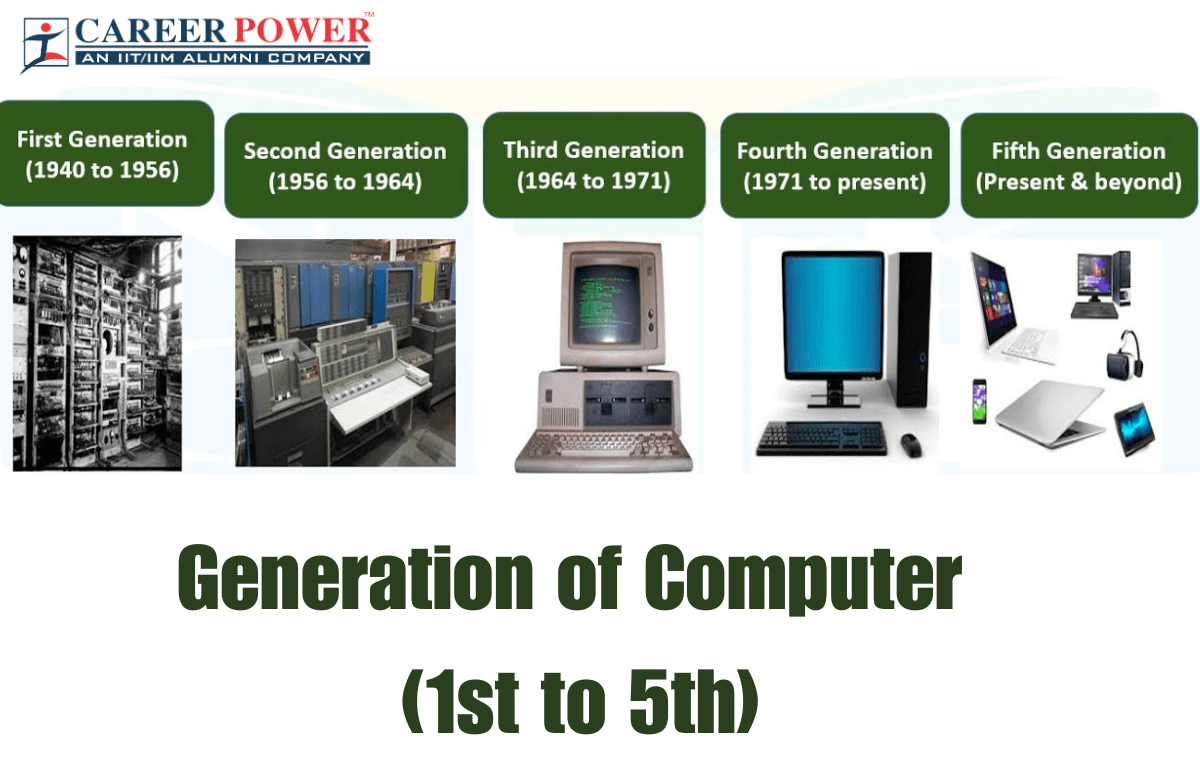
Operating systems have come a long way from their humble beginnings. Initially, computers had no OS—users interacted directly with hardware using machine code.
Over time, operating systems evolved to make computing more accessible, efficient, and powerful.
From Early Systems to Modern Platforms
The journey of operating systems can be divided into key phases:
1. Early Computing (1940s–1960s)
- No formal OS
- Programs were executed manually
- Limited functionality and accessibility
2. Batch Processing Systems (1960s–1970s)
- Jobs were processed in batches without user interaction
- Improved efficiency but lacked flexibility
3. Time-Sharing Systems (1970s–1980s)
- Multiple users could access a system simultaneously
- Introduced multitasking concepts
4. Personal Computer Era (1980s–1990s)
- The rise of user-friendly systems like MS-DOS and early versions of Microsoft Windows
- Introduction of graphical user interfaces (GUI)
5. Modern Era (2000s–Present)
- Advanced OS like macOS, Linux, Android, and iOS
- Focus on performance, security, and user experience
- Integration with cloud services and mobile ecosystems
Key Milestones in OS Development


Several breakthroughs have shaped the evolution of operating systems:
- 1969 – UNIX Developed: Introduced portability and multitasking
- 1981 – MS-DOS Released: Became the foundation of early personal computing
- 1985 – Microsoft Windows Launched: Popularized graphical user interfaces
- 1991 – Linux Kernel Created: Sparked the open-source movement
- 2007 – iOS Introduced: Revolutionized smartphones
- 2008 – Android was released: Dominated the global mobile OS market
These milestones highlight how operating systems evolved from simple command-line tools to powerful platforms that drive today’s digital world.
Current Trends Shaping Operating Systems


Operating systems are no longer static platforms—they are evolving into dynamic, intelligent ecosystems. Modern OS design is influenced by connectivity, user expectations, and rapid technological advancements.
Three major trends are currently shaping the direction of operating systems: cloud integration, cross-platform functionality, and subscription-driven models.
Cloud-Centric Computing
Cloud computing is transforming how operating systems are built and used. Instead of relying entirely on local hardware, modern OS increasingly depend on cloud infrastructure.
Platforms like Chrome OS demonstrate this shift by storing data and running applications primarily online.
Key Features:
- Remote data storage and access
- Reduced reliance on powerful local hardware
- Seamless updates and synchronization
This approach makes devices faster, lighter, and more accessible across different environments.
Cross-Platform Compatibility
Users today expect their apps and data to work seamlessly across multiple devices—laptops, smartphones, tablets, and even smart TVs.
Operating systems such as Android, iOS, and Windows 11 are increasingly supporting cross-platform ecosystems.
Why It Matters:
- Continuity of work across devices
- Unified user experience
- Increased productivity
Technologies like web apps, progressive web apps (PWAs), and shared ecosystems are making platform boundaries less relevant.
Subscription-Based OS Models
The traditional “buy once” model is gradually being replaced by subscription-based systems.
For example, Windows 365 allows users to access a full Windows environment via the cloud on a subscription basis.
Advantages:
- Continuous updates and features
- Lower upfront cost
- Scalable for businesses
However, this also raises concerns about long-term costs and user dependency on service providers.
The Rise of Cloud and Web-Based Operating Systems


Cloud and web-based operating systems are redefining how computing works. Instead of installing software locally, users can run entire systems through a browser or remote server.
What is Cloud OS?
A Cloud Operating System is designed to operate primarily on remote servers rather than local machines. Users interact with it via the internet.
Examples include:
- Chrome OS
- Windows 365
These systems emphasize accessibility, allowing users to log in from any device and continue their work instantly.
Benefits and Limitations
Benefits:
- Access from anywhere with an internet connection
- Lower hardware requirements
- Automatic updates and maintenance
- Enhanced collaboration
Limitations:
- Dependence on internet connectivity
- Privacy and data security concerns
- Limited offline functionality
While cloud OS offers flexibility, they require strong infrastructure and trust in service providers.
Artificial Intelligence in Operating Systems


Artificial Intelligence is becoming a core component of modern operating systems, enabling smarter, faster, and more personalized experiences.
AI-Powered Automation
AI allows operating systems to automate repetitive tasks and improve efficiency.
Examples include:
- Smart file organization
- Background system optimization
- Voice assistants like Google Assistant and Siri
This reduces manual effort and enhances user convenience.
Predictive Performance Optimization
Future OS will not just react—they will predict.
AI can:
- Anticipate which apps you’ll open next
- Allocate system resources dynamically
- Reduce lag and improve battery life
This leads to smoother and more efficient system performance.
Smart User Interfaces
AI-driven interfaces adapt to user behavior, preferences, and habits.
Features Include:
- Personalized layouts
- Context-aware suggestions
- Adaptive notifications
This makes operating systems more intuitive and user-friendly over time.
The Future of User Interfaces


User interfaces (UI) are evolving beyond keyboards and touchscreens. The future will focus on more natural and immersive ways of interacting with technology.
Voice-Controlled Systems
Voice is becoming a primary interface for interacting with devices.
Technologies like Google Assistant and Siri allow users to control devices, search information, and automate tasks using simple voice commands.
Benefits:
- Hands-free interaction
- Faster task execution
- Improved accessibility
Gesture and Touchless Interaction
Gesture-based controls enable users to interact with a device without physically touching it.
Examples:
- Hand tracking in smart devices
- Motion-based controls in gaming
- Touchless interfaces in public systems
This technology is especially useful in environments where touch is impractical or unsafe.
Augmented Reality (AR) and Virtual Reality (VR) Integration
Immersive technologies are shaping the next generation of operating systems.
Devices and platforms are beginning to integrate AR and VR for enhanced user experiences. For instance:
- Apple Vision Pro
- Meta Quest
Impact on OS:
- 3D user interfaces
- Spatial computing environments
- New ways to work, learn, and interact
These advancements could eventually replace traditional screens with immersive digital environments.
Security in Next-Generation Operating Systems


As operating systems become more connected and intelligent, security is becoming one of their most important priorities. Future OS platforms will not only need to protect files and accounts, but also defend against advanced cyber threats, identity attacks, and unauthorized device access.
Modern security is moving away from the old idea of trusting everything inside a network. Instead, next-generation operating systems are designed to verify users, devices, and actions continuously.
Zero Trust Architecture
Zero Trust is based on a simple principle: trust nothing by default. Every access request must be verified, even if it comes from inside the system.
In operating systems, this means:
- Continuous authentication of users and devices
- Strict permission controls
- Limited access to only the resources that are needed
- Constant monitoring of system activity
This approach reduces the risk of malware spreading across a system and helps protect sensitive data from insider threats or stolen credentials.
Biometric Authentication
Passwords are no longer enough on their own. Future operating systems are increasingly using biometric methods such as:
- Fingerprint scanning
- Facial recognition
- Iris detection
- Voice recognition
Biometric authentication is convenient because it is fast and easy for users, but it also adds a stronger layer of identity verification. Many modern devices already use biometrics, and this trend will continue as OS security becomes more advanced.
AI-Driven Threat Detection
Artificial intelligence is making security smarter. Instead of relying only on fixed rules, future operating systems can use AI to spot unusual behavior in real time.
AI-driven threat detection can:
- Identify suspicious login patterns
- Detect malware-like activity
- Flag abnormal file changes
- Respond faster to possible attacks
This makes the operating system more proactive. Rather than waiting for damage to happen, it can detect and stop threats earlier.
Edge Computing and Lightweight OS


Not every device needs a large, full-featured operating system. In the era of edge computing, many devices must work quickly, efficiently, and with limited power. This is where lightweight operating systems become essential.
Edge computing brings data processing closer to where the data is generated, which improves speed and reduces dependence on centralized cloud systems.
Role of OS in IoT Devices
The Internet of Things includes smart watches, home assistants, sensors, cameras, and industrial machines. These devices need operating systems that are:
- Small and efficient
- Energy-conscious
- Reliable for constant operation
- Able to process data locally
In IoT environments, the OS must do a lot with very little. It often runs on limited memory, low power, and minimal hardware resources, so performance and stability are critical.
Micro Operating Systems
Micro operating systems are designed for small devices with very specific tasks. They are much lighter than traditional desktop or mobile OS platforms.
They are commonly used in:
- Sensors
- Wearables
- Smart home devices
- Medical equipment
- Industrial control systems
Their main advantages are low resource usage, fast response times, and high efficiency. As more everyday objects become connected, micro operating systems will play a bigger role in keeping those systems responsive and reliable.
Quantum Computing and Operating Systems


Quantum computing represents a major leap in computation, and it may eventually require a very different kind of operating system.
Traditional operating systems are built for classical computers that process information in binary form. Quantum computers work differently, using quantum bits or qubits. That creates new challenges for OS design, scheduling, control, and error management.
What Is Quantum OS?
A Quantum Operating System would be software designed to manage quantum hardware and help coordinate quantum programs. It would likely handle:
- Qubit allocation
- Execution timing
- Error correction support
- Communication between the classical and quantum parts of a system
This type of operating system is still an emerging idea rather than a mature everyday product. But as quantum hardware develops, specialized OS layers will become more important.
Challenges and Opportunities
Quantum operating systems face major challenges:
- Stability: Qubits are delicate and difficult to maintain
- Error correction: Quantum systems are highly sensitive to noise
- Hardware complexity: Quantum machines require advanced control layers
- Limited availability: The technology is still in early development
At the same time, the opportunities are enormous. A successful quantum OS could help support breakthroughs in:
- Cryptography
- Scientific simulation
- Drug discovery
- Optimization problems
- Advanced artificial intelligence
Quantum computing may not replace traditional operating systems, but it could create a new class of computing platforms that demand new OS models.
Open Source vs Proprietary OS in the Future


The future of operating systems will likely be shaped by the ongoing balance between open-source and proprietary models. Both approaches bring unique strengths—and limitations—that influence innovation, security, and user experience.
Open-source platforms like Linux thrive on transparency and community contributions, while proprietary systems such as Microsoft Windows and macOS focus on controlled ecosystems and polished user experiences.
Community-Driven Innovation
Open-source operating systems are built and improved by global communities of developers.
Key Advantages:
- Rapid innovation through collaboration
- Transparency in code (better trust and security auditing)
- High customization and flexibility
- Lower cost or completely free
For example, the success of Linux has led to countless distributions (distros) tailored for servers, desktops, and embedded systems.
However, open-source projects can sometimes face:
- Fragmentation
- Lack of centralized support
- Inconsistent user experience
Corporate Ecosystems
Proprietary operating systems are developed and maintained by companies that control both software and, in some cases, hardware.
Examples include:
- Microsoft Windows
- macOS
- iOS
Strengths:
- Seamless integration across devices
- Consistent updates and support
- Optimized performance and user experience
These ecosystems are designed to “just work,” but they often come with:
- Limited customization
- Vendor lock-in
- Licensing or subscription costs
In the future, we may see hybrid approaches—where companies embrace open-source components while maintaining controlled ecosystems.
Sustainability and Energy Efficiency


As environmental concerns grow, operating systems are being designed with sustainability in mind. Efficient OS design can reduce energy consumption, extend device lifespan, and lower the overall environmental impact of technology.
Green Computing Initiatives
Green computing focuses on reducing the environmental footprint of IT systems.
Operating systems contribute by:
- Optimizing power usage
- Reducing unnecessary background processes
- Supporting energy-efficient hardware
Companies behind platforms like Windows 11 and macOS are increasingly introducing features that monitor and reduce energy consumption.
Examples:
- Power-saving modes
- Smart battery management
- Resource-efficient updates
Energy-Aware OS Design
Future operating systems will go beyond basic power-saving features and become energy-aware.
This means the OS will:
- Dynamically adjust performance based on usage
- Shut down unused processes intelligently
- Balance performance with battery life
- Optimize workloads for minimal energy consumption
This is especially important for:
- Mobile devices
- Laptops
- IoT and edge devices
Energy-aware OS design not only saves power but also improves device longevity and user experience.
Challenges Facing Future Operating Systems


Despite rapid innovation, operating systems face several major challenges that could shape their future development.
Compatibility Issues
As technology evolves, maintaining compatibility becomes increasingly difficult.
Challenges include:
- Running older applications on new systems
- Supporting diverse hardware configurations
- Ensuring cross-platform functionality
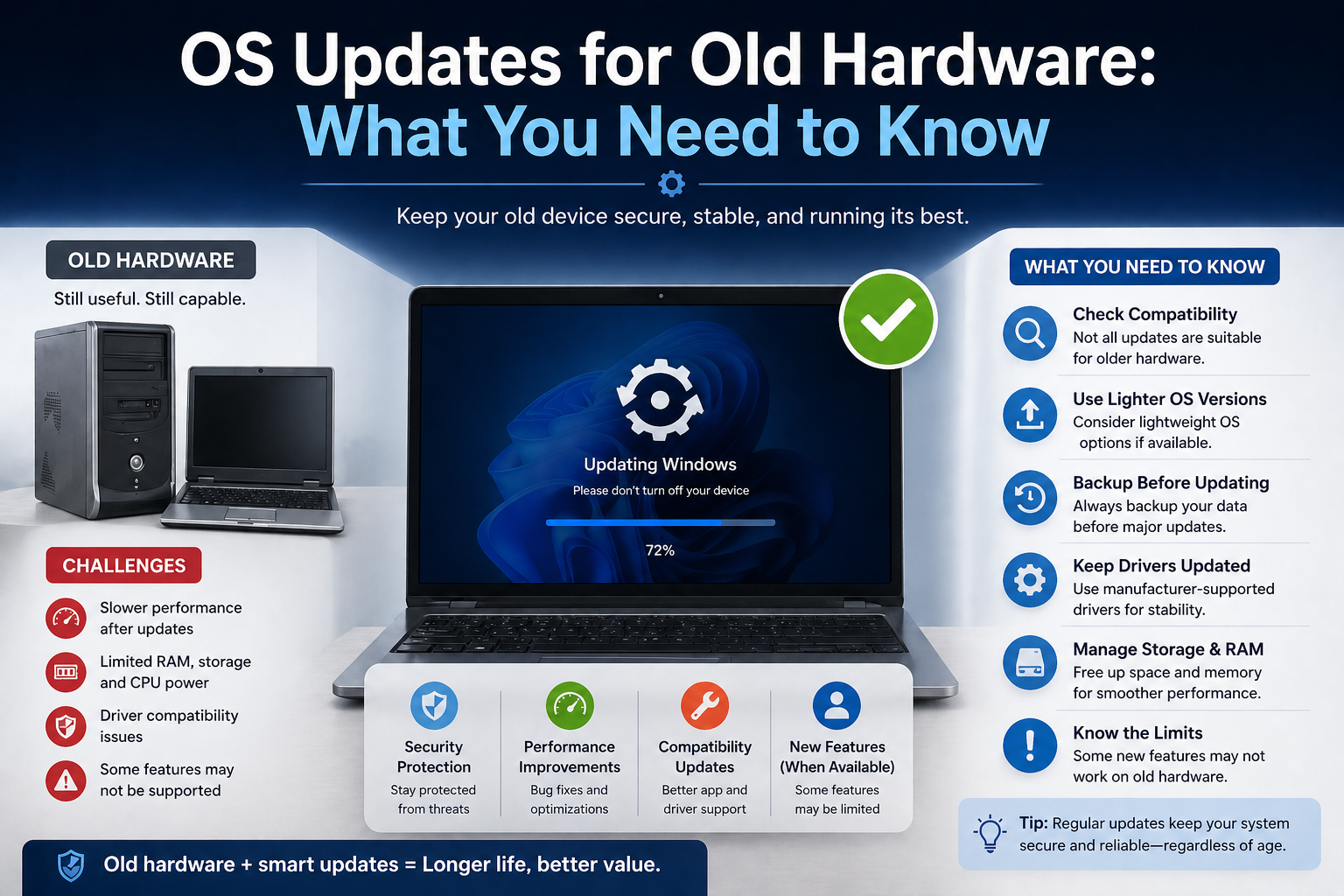
For instance, transitions in systems like Windows 11 or macOS sometimes create compatibility gaps for older software.
Balancing innovation with backward compatibility remains a critical challenge.
Privacy Concerns
Modern operating systems collect and process large amounts of user data to improve functionality and personalization.
This raises important concerns:
- Data collection transparency
- User consent and control
- Risk of data breaches
Operating systems must strike a balance between personalization and privacy, ensuring users feel secure and in control of their information.
Increasing Complexity
Operating systems are becoming more powerful—but also more complex.
Key Issues:
- Harder to develop and maintain
- Increased risk of bugs and vulnerabilities
- Steeper learning curve for users and developers
As OS integrate AI, cloud computing, and advanced security features, managing this complexity will be a major challenge for future development.
Predictions for the Next Decade


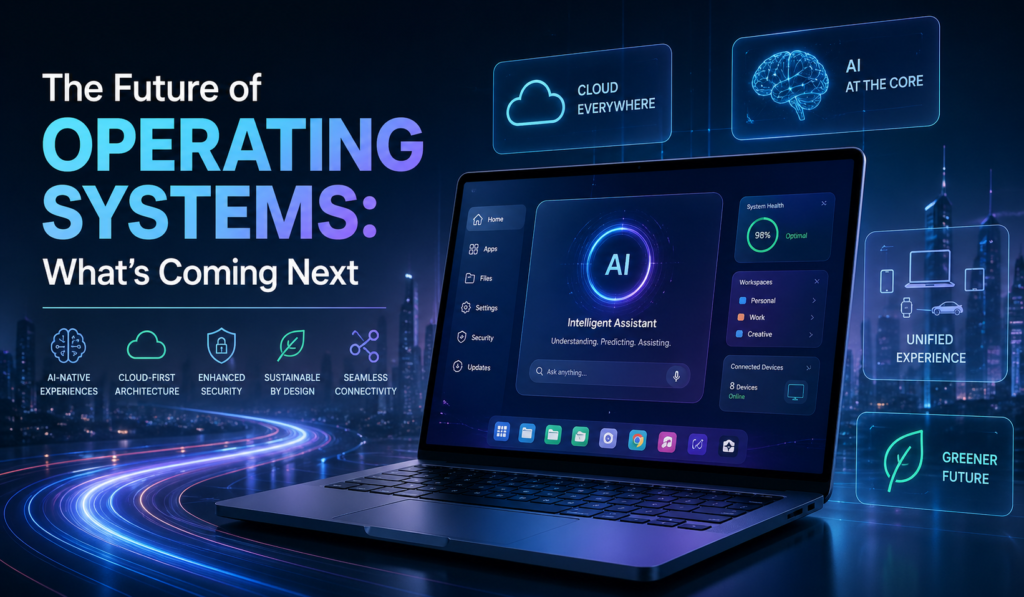
The next decade will redefine what operating systems are and how we interact with them. Instead of being just software that runs devices, OS platforms will evolve into intelligent, adaptive environments that anticipate needs, connect ecosystems, and operate with minimal human intervention.
Advancements in AI, cloud computing, and hardware innovation will drive this transformation, making operating systems more powerful—and more invisible—than ever before.
Fully Autonomous Systems
Future operating systems will increasingly operate on their own, reducing the need for manual input.
What this means:
- Systems that self-optimize performance
- Automatic updates without disruption
- Self-healing capabilities that fix errors in real time
- Intelligent resource management based on usage patterns
For example, modern platforms like Windows 11 and macOS are already moving toward automation with background updates and AI-assisted features.
In the future, users may interact less with system settings and more with outcomes—letting the OS handle the complexity behind the scenes.
Seamless Device Integration
The boundaries between devices will continue to disappear. Operating systems will focus on creating a unified experience across all devices.
Expected developments:
- Start a task on one device and finish it on another instantly
- Shared apps, data, and settings across platforms
- Unified ecosystems connecting phones, laptops, wearables, and smart home devices
Ecosystems like those built around Android and iOS are already heading in this direction.
In the next decade, this integration will feel seamless and natural—almost as if all your devices are part of a single system.
OS as a Service
Operating systems will increasingly shift from locally installed software to cloud-based services.
Solutions like Windows 365 are early examples of this transformation.
Key characteristics:
- Access your OS from any device via the internet
- Subscription-based usage models
- Continuous updates and feature rollouts
- Reduced dependence on powerful hardware
This model allows users to carry their entire computing environment wherever they go, making devices interchangeable and more flexible.
Conclusion


Operating systems are undergoing a profound transformation. From simple command-line interfaces to intelligent, cloud-connected platforms, they have continuously evolved to meet the demands of modern technology.
Today, they are no longer just tools—they are becoming intelligent systems that shape how we live, work, and interact with the digital world.
Final Thoughts on the Future of Operating Systems
The future of operating systems is not just about better performance or new features—it’s about redefining the relationship between humans and technology.
In the coming years, we can expect:
- Smarter, AI-driven experiences
- Greater connectivity across devices
- More secure and privacy-focused systems
- Flexible, cloud-based environments
While challenges like complexity, privacy, and compatibility remain, innovation continues to push boundaries.
Ultimately, the operating systems of the future will become more intuitive, adaptive, and invisible—working quietly in the background while delivering powerful, seamless experiences to users everywhere.